
Welcome to the Beta Program for Therapy Ally
Therapy Ally is a 24/7 AI-powered therapeutic support companion designed to help you navigate life’s challenges with empathy, insight, and proven psychological frameworks. This guide will walk you through getting started with the app, using it, and sharing your feedback. There is currently no web version. Scroll down for a step-by-step guide.
Getting Started: Download the App & Read Guide Below


Step-by-Step Guide
-
1. Retrieve Code
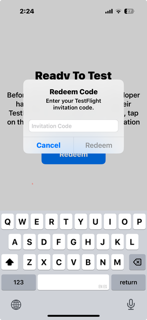
Test Flight will email you a code to confirm your signup. Please check your “Promotions” and/or “Spam” folder to locate the email.
Enter the code and you’ll be taken to the Therapy Ally beta app.
-
2. Sign Up
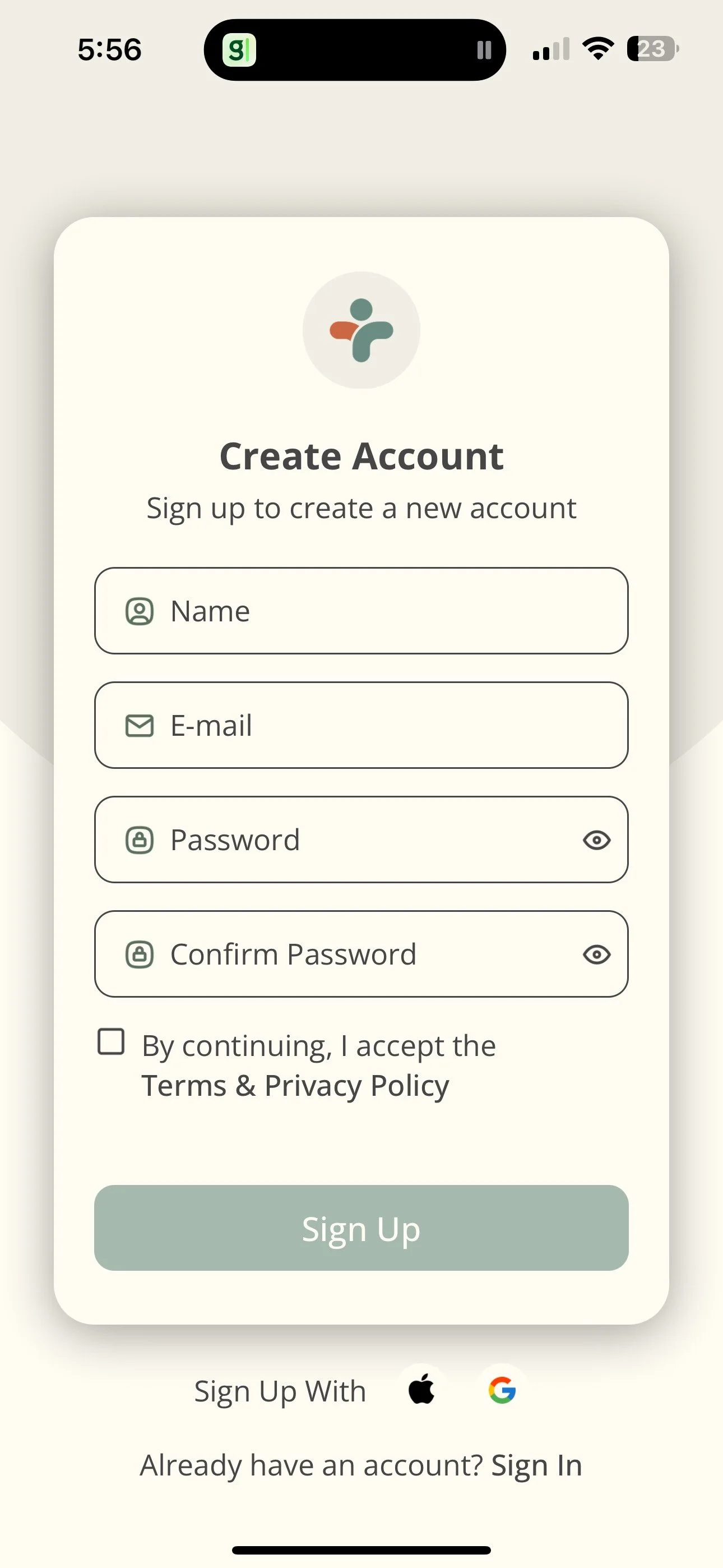
Sign up using your email, Google, or Apple ID. Accept our Terms of Service and Privacy Policy.
You'll then be asked to share a few details about yourself. Provide as much as you’re comfortable with. Everything stays confidential, and the more your Ally knows, the better it can personalize its support.
-
3. Select Ally
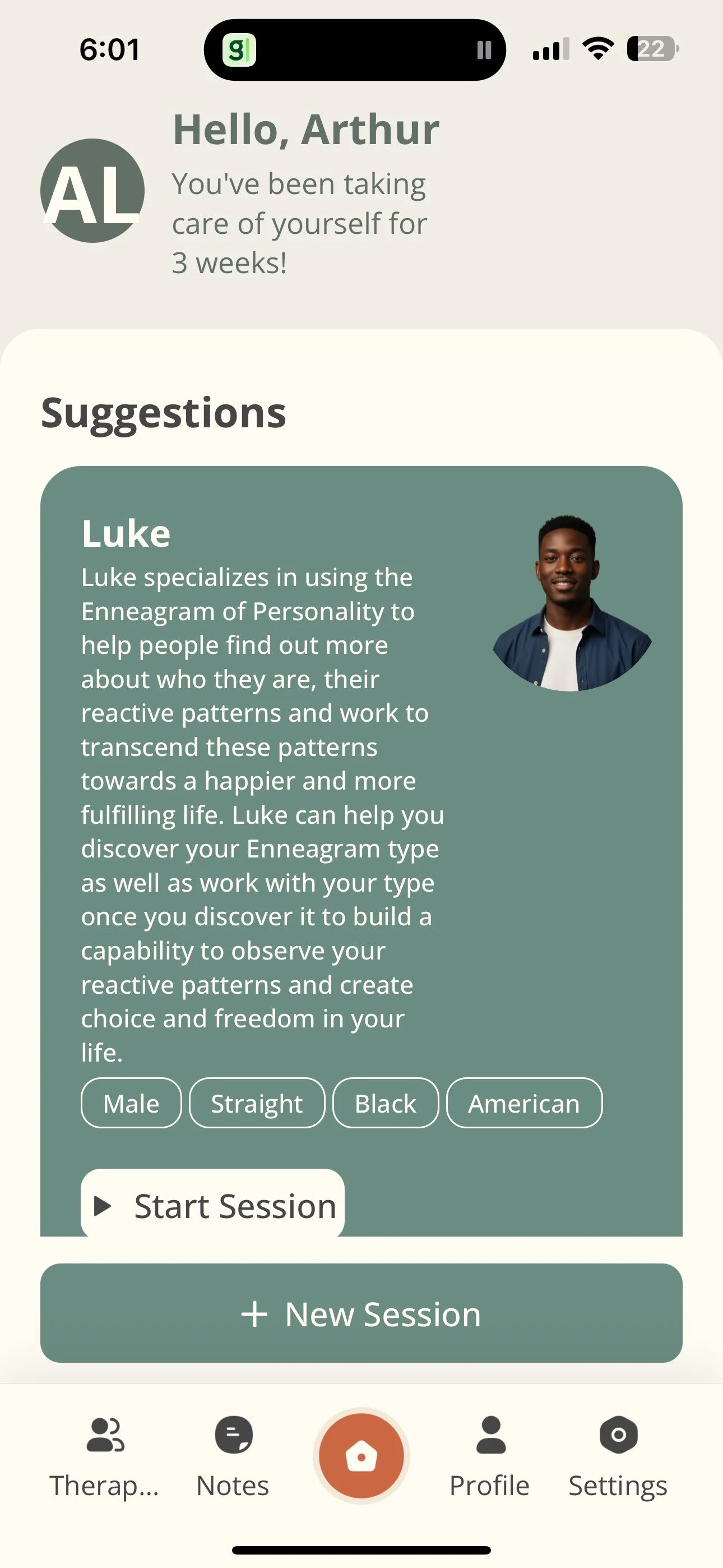
Choose from four therapeutic Allies. After your first session, you can switch at any time, but be sure to note which Ally you're using so your feedback stays accurate.
Each Ally uses a different therapeutic approach. You don’t need to know these methods to benefit, but you can ask your Ally to explain—or read about them on our website.
-
4. Have Session
Talk to Therapy Ally just like you would a real person. You can share whatever you want. Your conversation will be summarized after each session, and Therapy Ally will pick up right where you left off the next time.
Voice Interaction
Your voice is transcribed in real time, and the AI responds aloud—creating a natural, back-and-forth conversation.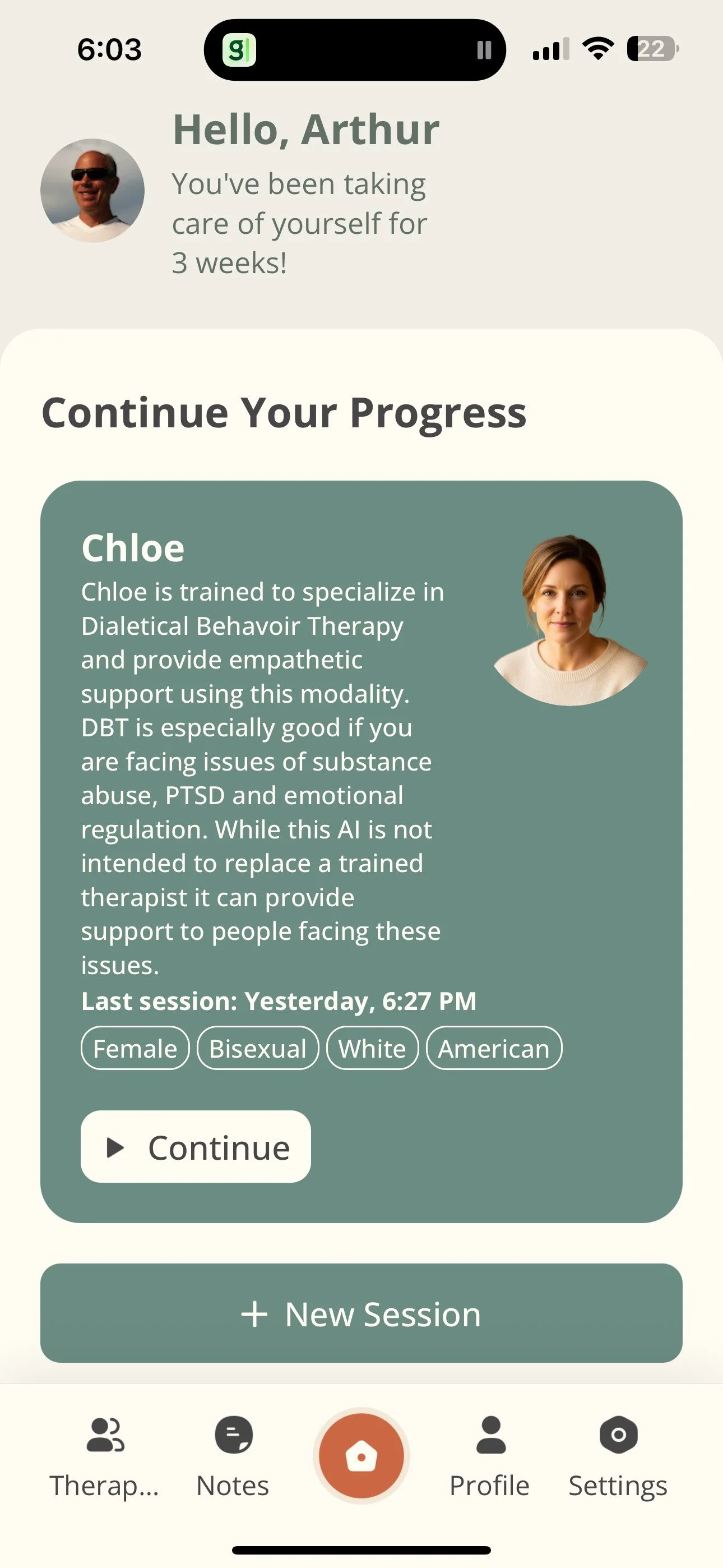
-
5. Session Notes
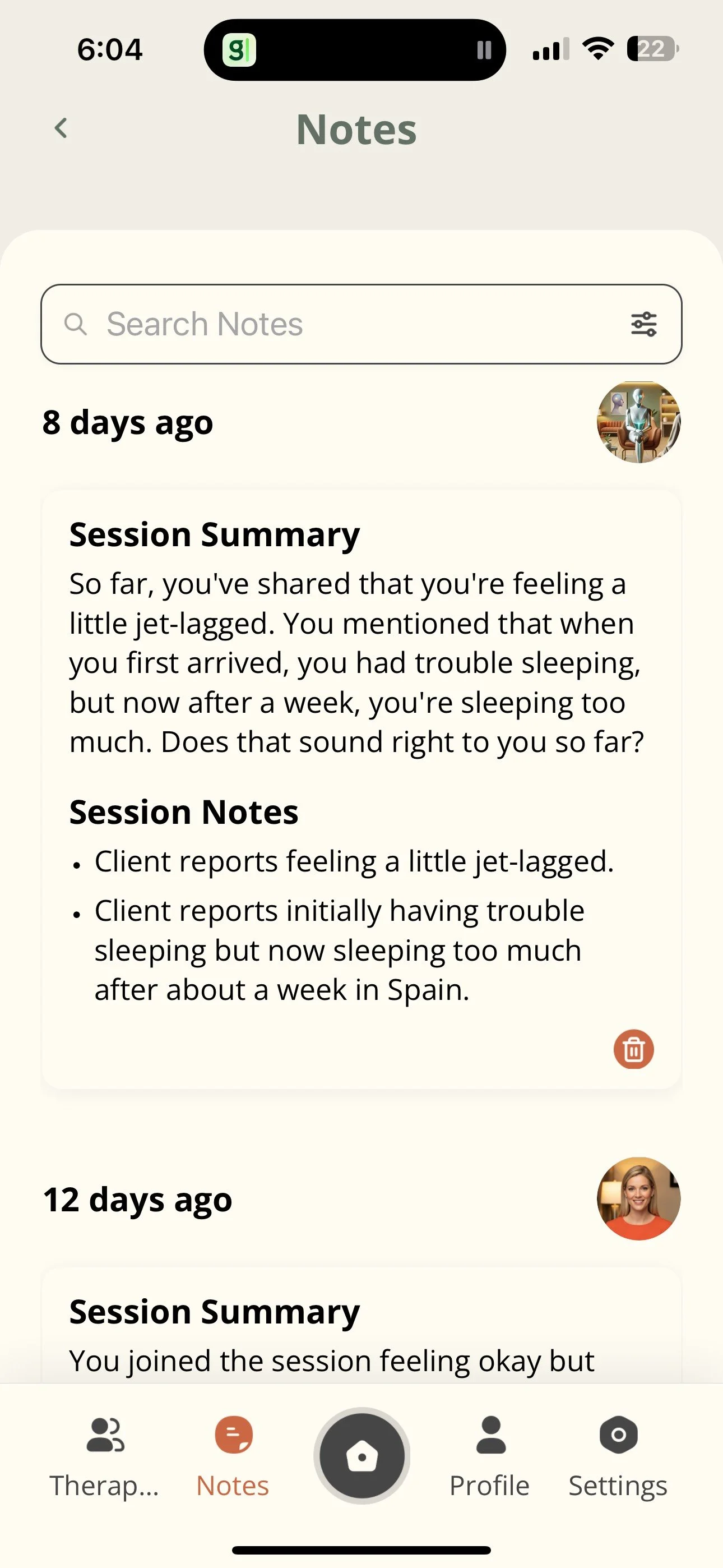
You can review your past conversations anytime in the Notes section. This is helpful for tracking emotional patterns, progress, and personal growth.
Each new conversation includes the full context of previous conversations, so you can simply continue right where you left off, without needing to repeat yourself.
-
6. Manage Data
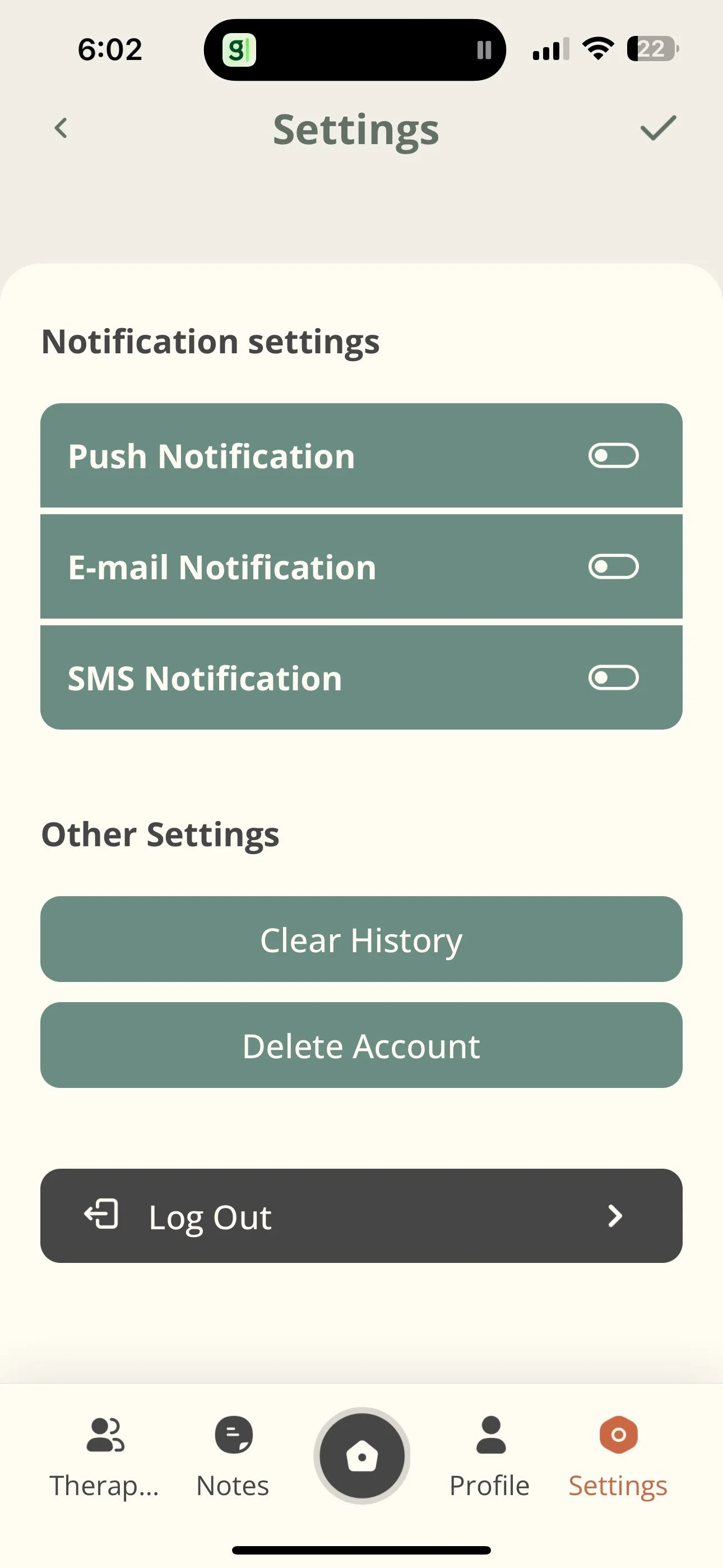
You have full control over your data. All conversations are encrypted, and you can delete any session at any time from the Settings menu.
As a Beta tester, your feedback helps us improve Therapy Ally’s support. It’s always anonymized before being used in training or research—and you can delete your data or account whenever you choose.
-
7. Continue session
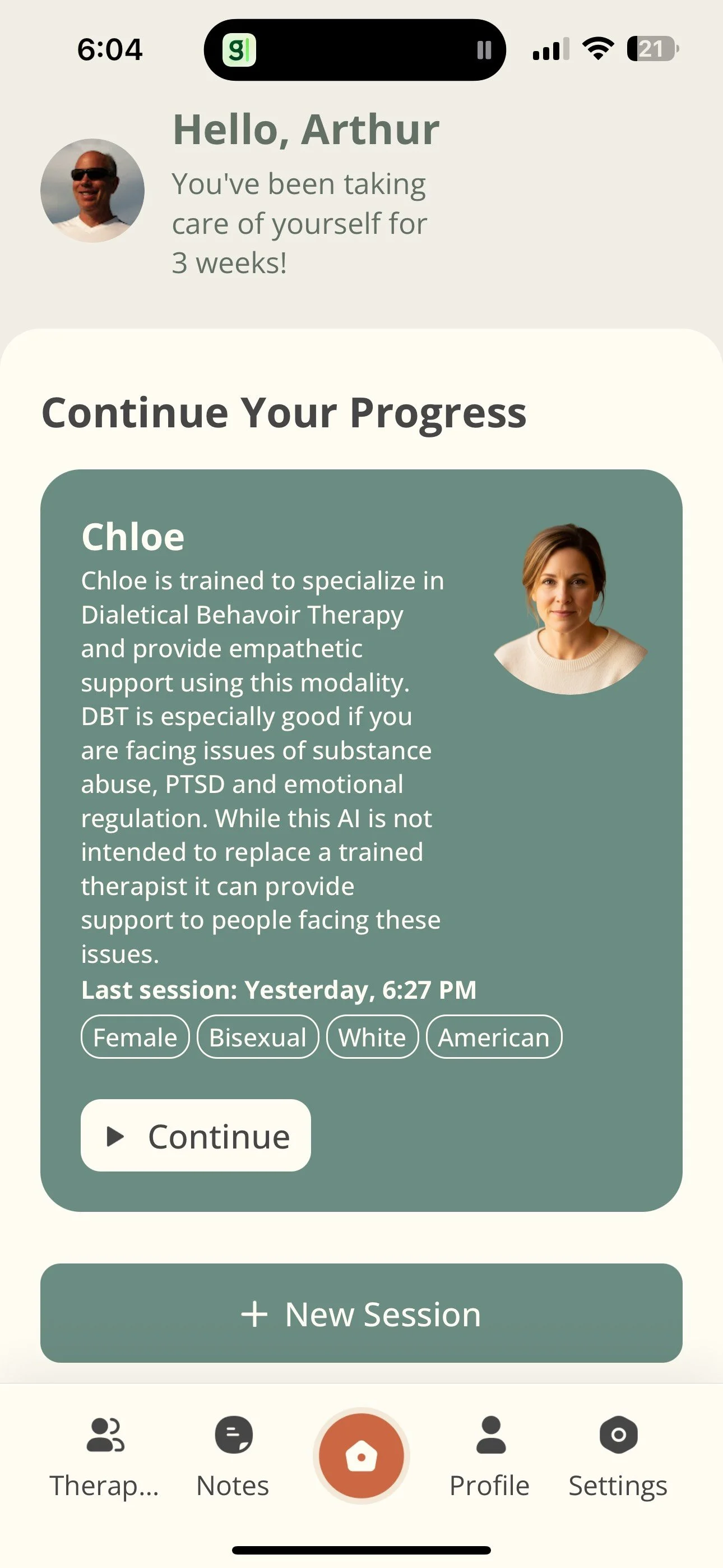
Whenever you return to the app, you’ll see the Allies you have ongoing conversations with. Select one of those conversations to continue, or choose a new Ally to start a fresh experience with a different therapeutic approach. Everything you’ve shared previously will still be available in your Notes for easy access and reflection.
Important Things to Know During Beta Testing
First-Time Use
Therapy Ally is designed for interactive, voice-based conversations. For the best experience, we recommend using headphones or your phone’s speaker. You can type instead, but for the best experience, natural conversation is how most users get the most out of the app.
Homework Tracking
Your Ally may suggest therapeutic activities like meditations, breathing exercises, or journaling prompts. If you agree to try them, your Ally will check in later to see how it’s going.
Feedback
Please share your feedback after each conversation! You can use the built-in feedback button in the beta app or submit it through this form. Make sure to note which Ally you spoke with. Without that information, we can’t improve the app. Feedback after every session is incredibly valuable. Your input helps us make Therapy Ally better for everyone.
Safety
If your Ally detects a possible crisis, it will guide you to professional or emergency resources. Therapy Ally is not therapy and does not replace licensed mental health care. It’s here to support you between sessions or as part of your personal wellness journey.
Tips for Best Results
Use the app daily—even just for a few minutes. (Stuck in traffic? Feeling overwhelmed? Want a fresh perspective? Talk to your Ally!)
Be honest. The more real your responses, the more helpful the Ally becomes.
If something feels off or confusing, use the Feedback button.
Don’t hold back! Don’t be afraid to push the app. Ask challenging questions. Push the limits. Demand feedback. Request advice. Your curiosity and experimentation helps us improve the app.
How to Report Issues
Tap "Report a Problem" in the Settings menu. Or email us at info@therapyally.ai with:
A short description of the issue
(Optional) screenshot or recording
Steps to reproduce the problem
Thank You
Your participation is helping us build a tool that supports real human transformation. We're deeply grateful for your time, insight, and openness. As a thank you, you’ll receive a free year of access to Therapy Ally.
Stay Connected
Have questions or suggestions? Email info@therapyally.ai or join our beta community on WhatsApp by sending us a request